Demos
Teach the problem, then show how your product helps
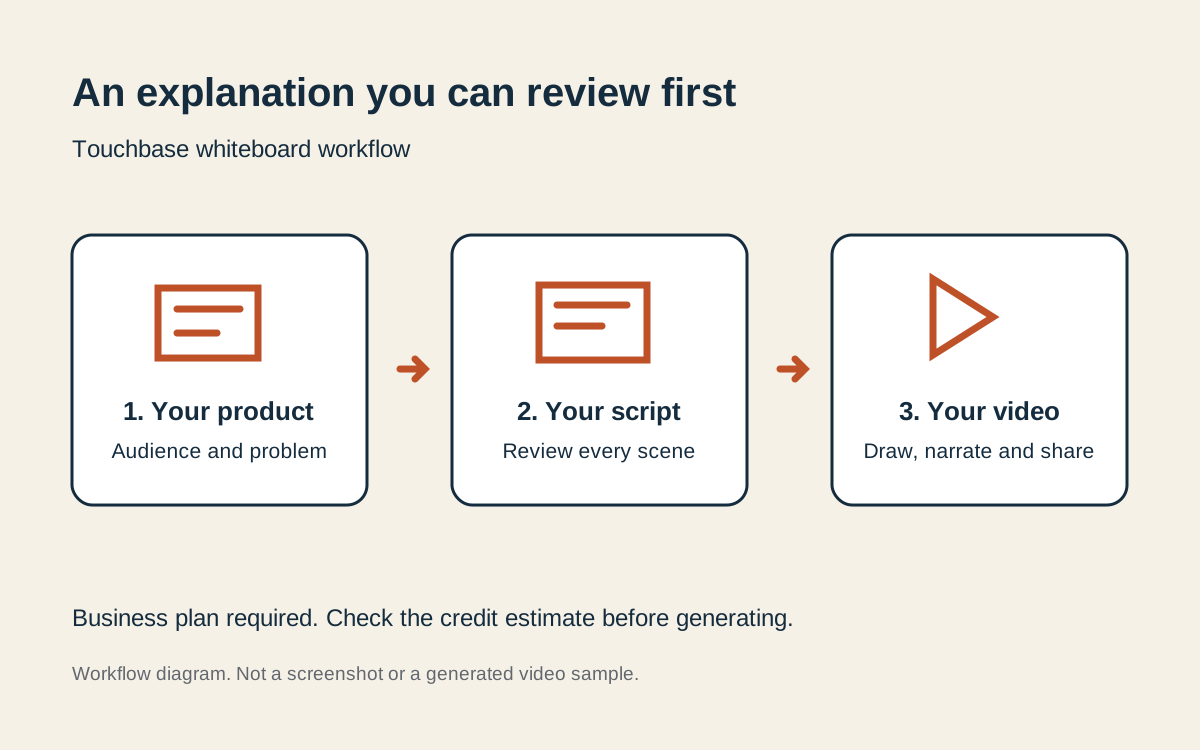
Touchbase creates narrated whiteboard explainers from your saved company profile and selected product. Start with a customer problem, review the script scene by scene, then approve drawing and narration. This is a script-first marketing workflow, rather than a manual animation timeline.
What it does
- Uses the selected product’s description, audience and pain points to prepare a niche script
- Aims for 80 to 85% useful problem and solution teaching, 10 to 15% product relevance and a short closing call to action
- Offers 1, 2, 3, 5 and 10 minute targets, vertical or landscape format, and a choice of narrator
- Lets you dictate the brief in a supported browser, edit narration, reorder scenes and delete scenes before rendering
- Shows the script and render credit estimate before generation; wallet top-ups are available when needed
- Keeps finished videos in the Library with download and sharing controls
How it works
Select your product and topic
Open Create → Whiteboard videos on Business or a higher plan. Confirm your company and product details, add an angle, and choose length, format and voice.
Read the script before drawing
Review every scene and its narration. Edit the words, check the estimated duration and credit requirement, then choose Draw and narrate.
Render and share
Wait for the user-requested render to finish, watch the result, and use the Library to download or share it. Check the result before publishing.
Who it is for
Founders, agencies and small teams explaining a customer problem and how their product helps. Choose a specialist animation editor for precise control over every stroke.
Plans, limits and next steps
Business starts at $199/month with 4 included whiteboard videos per month, up to 3 minutes each. Longer videos, up to a 10-minute target, and exhausted allowances can use wallet credit. Free, Starter and Pro do not include whiteboard rendering.
Does this guarantee customers or results?
No. Use the research, drafts and content to support your work, check their accuracy, and measure the response from your own audience.
Where can I see the actual product?
Watch the Touchbase walkthrough for the setup and outreach workflow. It is not a demonstration of every feature. Screens on the feature pages may use a demo workspace with fictional companies.
Works with

Part of everything Touchbase does. Served from touchbasetechnologies.com.
Stop waiting for customers to find you
Tell Touchbase what you sell. It finds the companies that need it and the person to write to at each, and drafts a first email for you to read and send.